
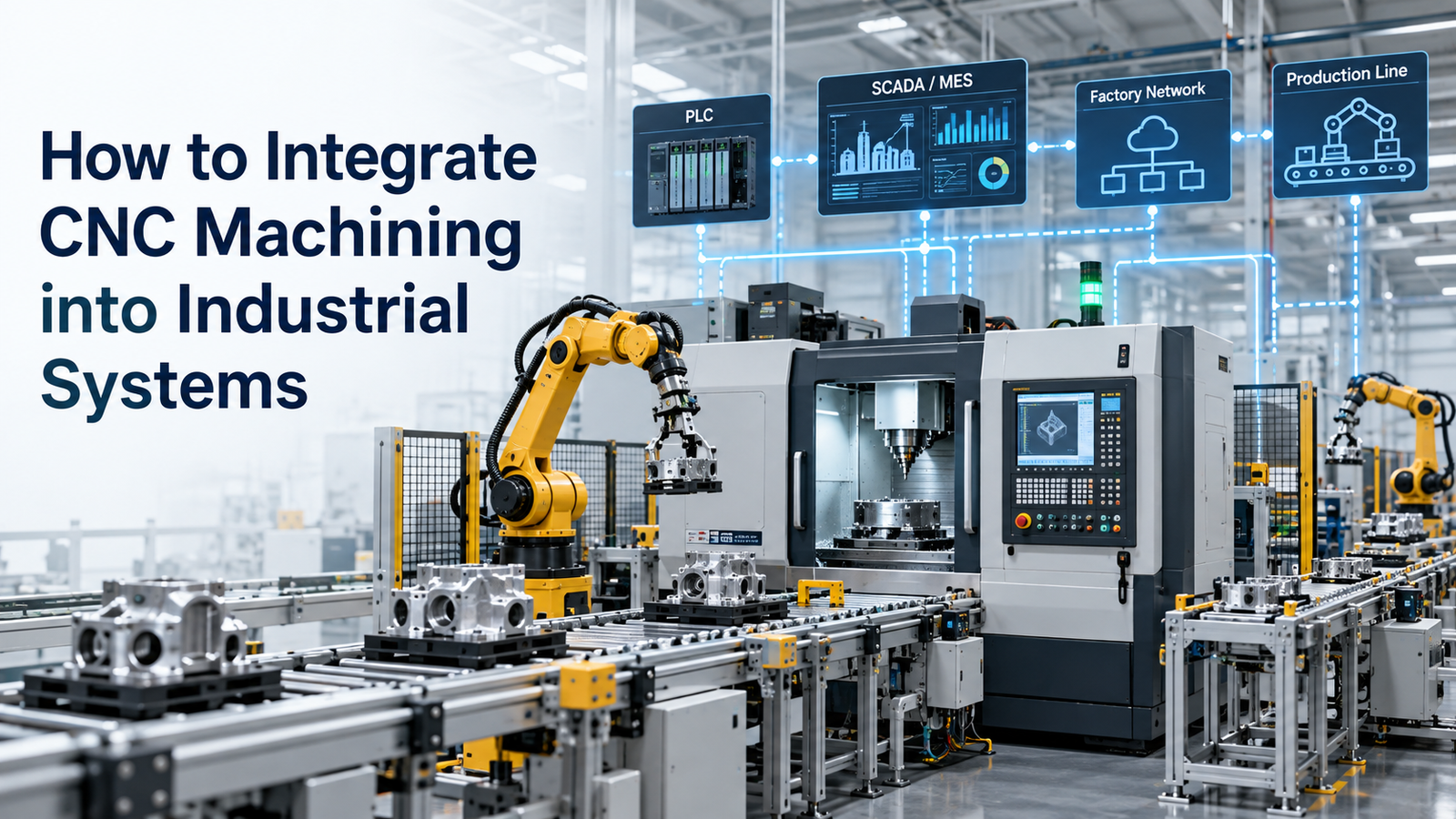
CNC machining is often treated as a standalone production process, but modern factories increasingly connect CNC machines with wider industrial systems.
A CNC machine may receive design data from CAD/CAM, production schedules from MES, material and order information from ERP, tool information from tool-management software, loading support from robots, and quality feedback from inspection systems.
This makes CNC machining applications increasingly important at the system-integration level.
The goal is not simply to connect machines to a network. The real objective is to create a controlled flow of information and material from engineering to production, inspection, maintenance, and business planning.
Modern interoperability standards such as MTConnect help make machine data accessible in a consistent way across equipment from different vendors. NIST research also highlights the long-term importance of integrating CAM, CNC, sensing, robotics, and manufacturing data for smarter production.
This guide explains how to integrate CNC machining into industrial systems step by step.
Implementation Steps and Best Practices
1. Start With the Production Objective
Do not begin integration by buying software or adding sensors.
First define the business and production problem.
Common objectives include:
- Reducing machine downtime
- Improving schedule visibility
- Automating part loading
- Reducing setup time
- Improving quality traceability
- Tracking tool life
- Increasing machine utilization
The integration architecture should support measurable production goals.
2. Map the Current CNC Workflow
Document the existing process from order to finished part.
A typical workflow may look like:
- Customer Order
- Engineering Drawing
- CAD/CAM
- CNC Program
- Setup
- Machining
- Inspection
- Delivery
Identify where information is entered manually.
Examples include:
- Job number
- Program name
- Tool list
- Setup data
- Inspection results
Repeated manual entry is a common source of delay and error.
3. Connect CAD and CAM
CAD defines the part geometry.
CAM converts that geometry into:
- Machining operations
- Toolpaths
- Tool selections
- Cutting parameters
A good CAD/CAM integration reduces manual recreation of geometry.
When the design changes, the manufacturing team should be able to identify the revision and update the machining program accordingly.
4. Standardize CNC Program Management
Programs should not be stored randomly on individual controllers.
A controlled program-management system should maintain:
- Program name
- Revision
- Machine assignment
- Approval status
- Backup
This reduces the risk of running an outdated program.
Program control is especially important when several CNC machines produce the same component.
5. Connect CNC Machines to Production Networks
Modern CNC machines can expose operational data.
Typical data may include:
- Machine status
- Spindle speed
- Feed rate
- Tool position
- Alarms
MTConnect provides an open, royalty-free standard that gives manufacturing equipment a common language so data can be made accessible to applications such as dashboards, MES, and ERP systems.
For mixed-machine environments, standardized data can reduce the amount of custom integration required.
6. Understand the MTConnect Architecture
MTConnect commonly uses:
- Machine or device
- Adapter
- Agent
- Application
The adapter connects to the machine or controller and translates proprietary signals into standardized data items.
The MTConnect Agent organizes and serves that information to applications.
This layered architecture helps separate machine-specific communication from higher-level manufacturing software.
7. Connect CNC Machines With MES
A Manufacturing Execution System, or MES, can coordinate shop-floor production.
MES integration may provide:
- Job dispatching
- Production tracking
- Machine status
- Work-in-progress visibility
- Downtime recording
A job can be assigned to the CNC machine based on:
- Availability
- Capability
- Priority
This creates better production visibility than standalone machine operation.
8. Connect MES With ERP
ERP systems usually manage business-level information such as:
- Orders
- Material
- Inventory
- Purchasing
- Delivery
MES typically connects the ERP planning layer to shop-floor execution.
A possible flow is:
- ERP
- MES
- CNC Production
Production results can flow back upward.
This can improve:
- Order status
- Capacity planning
- Delivery estimates
9. Integrate CNC With Robots
Robots can support CNC operations by:
- Loading raw parts
- Unloading completed parts
- Changing pallets
- Transferring parts between machines
NIST notes that robotics can improve manufacturing responsiveness, but easy integration and communication with equipment remain important technical challenges.
A CNC robotic cell should clearly define:
- Machine-ready signal
- Door status
- Clamp status
- Robot-safe position
- Cycle-complete signal
Reliable handshaking between systems is essential.
10. Use Automated Workholding
Automation works best when workholding is repeatable.
Useful systems may include:
- Hydraulic fixtures
- Pneumatic fixtures
- Zero-point clamping
- Pallet systems
Automated workholding can reduce manual setup variation.
It can also support unattended production more effectively than manually adjusted fixtures.
11. Integrate Tool Management
Tooling is a major part of CNC performance.
A tool-management system may track:
- Tool ID
- Tool life
- Offset
- Tool location
- Replacement status
Before a job starts, the system can verify whether required tools are available.
This reduces machine stoppages caused by missing tooling.
12. Connect Presetting Systems
Offline tool presetters can measure:
- Tool length
- Tool diameter
The values can then be transferred to the CNC machine.
This reduces manual offset entry.
Benefits include:
- Faster setup
- Reduced input errors
- Better consistency
For high-mix production, this can significantly improve changeover efficiency.
13. Integrate In-Process Probing
CNC probes can be used for:
- Workpiece location
- Datum setting
- Feature measurement
- Tool checking
Probe data can support automated setup and verification.
For example, a probe may measure the workpiece and automatically update the work offset before machining begins.
This reduces manual setup time.
14. Connect CNC and Inspection
Quality inspection should not be isolated from machining.
Inspection systems may include:
- On-machine probes
- CMMs
- Vision systems
NIST has studied on-machine measurement and information flows needed to connect machining with dimensional metrology.
A connected quality process can improve traceability between:
- Part
- Program
- Machine
- Inspection result
15. Use Closed-Loop Quality Carefully
Some production systems can use measurement feedback to update machining offsets.
For example:
- Machine the part.
- Measure the feature.
- Detect dimensional drift.
- Adjust the offset.
- Machine the next part.
This can help compensate for predictable tool wear.
However, automatic correction limits should be carefully controlled.
Large unexpected errors should trigger investigation rather than automatic compensation.
16. Integrate Machine Monitoring
Machine monitoring systems collect data such as:
- Running
- Idle
- Alarm
- Setup
- Cycle time
This helps calculate:
- Utilization
- Downtime
- OEE
The goal is not just to generate dashboards.
The data should support specific improvement actions.
For example, repeated idle time may indicate:
- Material delays
- Tool shortages
- Long setup
- Operator waiting
17. Add Predictive Maintenance
Machine data can support maintenance planning.
Useful signals may include:
- Vibration
- Temperature
- Spindle load
- Alarm history
- Operating hours
NIST's 2026 smart-manufacturing roadmap identifies AI, advanced sensing, digital twins, robotics, and industrial data analytics as major areas for improving manufacturing efficiency and adaptability.
Predictive maintenance should begin with reliable data collection before advanced analytics are introduced.
18. Integrate Tool-Wear Monitoring
Tool failure can cause:
- Scrap
- Machine stoppage
- Part damage
Monitoring systems may track:
- Tool usage
- Spindle load
- Cutting time
- Sensor signals
The system can warn operators before expected tool failure.
This is especially useful in unattended machining.
19. Integrate Production Scheduling
CNC systems should connect with production planning.
Scheduling should consider:
- Machine availability
- Tool availability
- Fixture availability
- Material availability
- Job priority
A machine may technically be free but unable to run the next job because the required fixture is unavailable.
Integrated scheduling should consider these real constraints.
20. Use Standard Machine Data Models
Mixed factories often contain machines from:
- Fanuc
- Siemens
- Haas
- Okuma
- Other vendors
Each controller may expose data differently.
MTConnect helps standardize machine information so software does not need a completely different interface for every machine.
MTConnect states that its standard is designed to make manufacturing equipment data universally accessible, real-time, and actionable.
21. Connect Legacy CNC Machines
Older CNC machines may not support modern data interfaces.
Possible integration methods include:
- Controller APIs
- External sensors
- PLC connections
- MTConnect adapters
A legacy machine does not always need to be replaced to participate in a connected production system.
The level of integration should match the business need.
22. Build a Digital Thread
A digital thread connects information across the production lifecycle.
For CNC machining, this may look like:
- CAD
- CAM
- CNC
- Inspection
- MES
- ERP
The objective is to maintain traceable data relationships.
This can help answer questions such as:
- Which program made this part?
- Which machine produced it?
- Which tool was used?
- What inspection result was recorded?
Traceability becomes especially important in regulated or high-value manufacturing.
23. Use Digital Twins for Process Validation
A machine-specific digital twin can simulate:
- Machine motion
- Toolpath
- Fixture
- Part
before the real machine runs.
This can reduce:
- Collision risk
- Prove-out time
- Shop-floor interruption
Digital twins are especially valuable for complex:
- 5-axis machining
- Automated cells
- Multi-machine processes
24. Connect CNC With Automated Material Handling
Larger systems may include:
- Conveyors
- AGVs
- AMRs
- Pallet systems
Material flow must be synchronized with machining.
The control system should know:
- Which job is next
- Which part is loaded
- Where the completed part should go
This turns an isolated CNC machine into part of a coordinated production system.
25. Integrate CNC With Factory Quality Systems
Quality data can be connected with:
- Serial number
- Batch
- Job
- Machine
- Program revision
This makes it easier to investigate quality issues.
For example, if a problem appears in one batch, the quality team can identify which machine and program revision produced those parts.
26. Connect Energy Monitoring
Energy data can also be included in machine monitoring.
Useful measures include:
- Idle energy
- Cutting energy
- Total energy per job
This can help identify inefficient operating patterns.
Energy monitoring is most useful when connected to production context.
27. Include Cybersecurity in the Integration Plan
Connecting CNC machines to wider networks increases cybersecurity requirements.
Integration should use controlled:
- User access
- Network segmentation
- Program transfer
- Backup
Do not connect machine tools directly to uncontrolled networks simply for convenience.
Production connectivity should be designed with both operational and IT security teams.
28. Standardize Interfaces Before Scaling
A common integration mistake is building many machine-specific custom connections.
Instead, define standard interfaces for:
- Job data
- Machine status
- Tool data
- Quality data
This makes future expansion easier.
Open standards such as MTConnect can help reduce vendor-specific integration effort.
29. Start With a Pilot Cell
Do not connect the entire factory at once.
Choose a pilot that has:
- Clear production problem
- Reliable machine
- Stable process
A pilot may integrate:
- One CNC machine
- Robot
- Monitoring dashboard
- Inspection station
Measure the result before expanding.
30. Define Integration KPIs
Useful KPIs may include:
- Machine utilization
- Setup time
- Cycle time
- Tool life
- Scrap rate
- Downtime
- Schedule adherence
Integration success should be measured through production improvement, not the number of connected devices.
CNC Integration Architecture
| Layer | Typical System |
|---|---|
| Business planning | ERP |
| Production execution | MES |
| Engineering | CAD/CAM |
| Machine control | CNC |
| Automation | Robot / PLC |
| Quality | Probe / CMM |
| Machine data | MTConnect / OPC UA |
| Maintenance | Condition monitoring |
| Analytics | Dashboard / AI platform |
Practical Integration Roadmap
Phase 1: Stabilize the CNC Process
Ensure:
- Programs are controlled
- Tooling is standardized
- Workholding is repeatable
Phase 2: Collect Machine Data
Monitor:
- Machine status
- Cycle time
- Alarms
Phase 3: Connect Production Systems
Integrate:
- MES
- ERP
- Program management
Phase 4: Add Automation
Introduce:
- Robots
- Pallet handling
- Automated workholding
Phase 5: Connect Quality
Add:
- Probing
- CMM integration
- Traceability
Phase 6: Add Advanced Analytics
Use:
- Predictive maintenance
- Tool monitoring
- AI
This staged approach reduces implementation risk.
Common CNC Integration Mistakes
Avoid these mistakes:
- Connecting unstable processes
- Buying software without a clear objective
- Ignoring legacy machines
- Collecting data without using it
- Building too many custom interfaces
- Ignoring program revision control
- Automating poor workholding
- Ignoring cybersecurity
- Integrating quality too late
- Trying to digitize the entire factory at once
Industrial integration works best when production fundamentals are already stable.
Conclusion
Integrating CNC machining applications into industrial systems requires more than connecting a machine to a network.
A complete system may connect:
- CAD/CAM
- CNC controls
- Robots
- Workholding
- Tool management
- Inspection
- MES
- ERP
- Maintenance systems
MTConnect provides an open approach for standardizing machine data and making CNC information accessible to dashboards, MES, ERP, and other applications. Current NIST research also emphasizes interoperability, industrial data, AI, sensing, robotics, and digital twins as key foundations for smarter manufacturing. citeturn177149search1turn177149search4
The best integration strategy is usually gradual.
Start with a stable CNC process, collect reliable data, connect production systems, automate repetitive tasks, integrate quality, and then add advanced analytics.
The goal is not maximum connectivity.
The goal is a manufacturing system where engineering, production, quality, maintenance, and planning can use the same reliable information to make better decisions.